Quillbot AI Review – Paraphrasing Tool Ka Real Best Experience
Introduction: Quillbot AI Review
Aaj ke digital era me content ka importance bahut zyada badh chuka hai. Har platform par quality content ki demand hai, chahe wo blogs ho, YouTube scripts ho, social media captions ho ya emails. Lekin ek common challenge sab face karte hain — same idea ko unique aur fresh tarike se kaise present kiya jaye.
Isi challenge ko solve karne ke liye AI tools ka use badh raha hai, aur unme se ek popular naam Quillbot hai. Ye tool specially paraphrasing ke liye design kiya gaya hai, jahan tum apne content ko different style me rewrite kar sakte ho bina meaning change kiye.
Is article me tumhe ek balanced aur practical Quillbot AI Review milega. Yahan na sirf features ki baat hogi, balki real experience bhi share kiya jayega, taki tum clearly samajh sako ki ye tool actually useful hai ya sirf hype create kar raha hai.
Quillbot Kya Hai?
Simple language me samjho to Quillbot ek AI-based paraphrasing tool hai jo tumhare sentences ko rewrite karta hai without changing the core meaning.
Example:
- Original: “Digital marketing is essential for business growth.”
- Output: “Business growth ke liye digital marketing kaafi important hoti hai.”
Yahi core function hai jo ise popular banata hai. Is Quillbot AI Review me hum iski real capabilities ko breakdown karenge.
Interface & First Impression
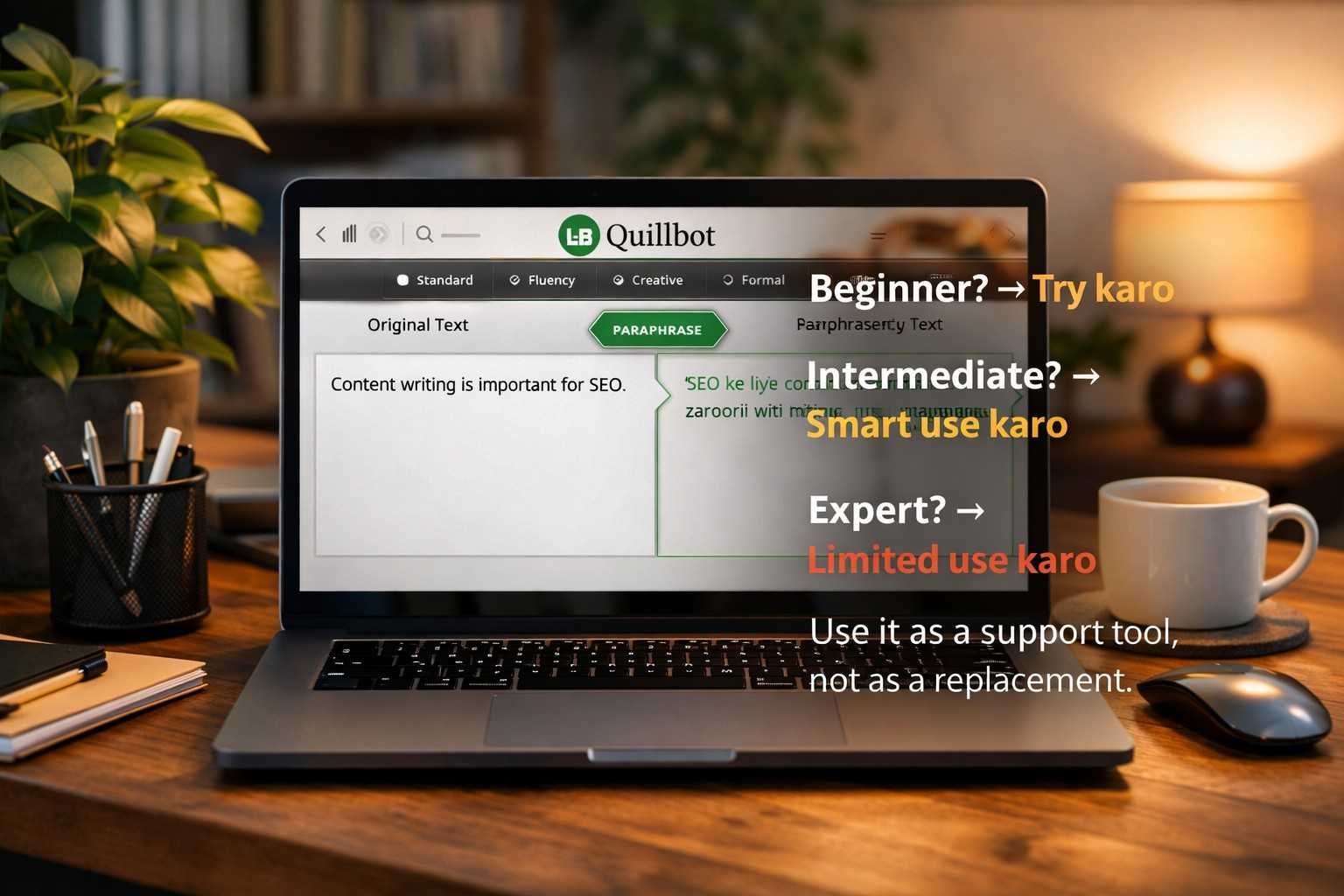
Jab tum first time Quillbot open karte ho, to UI kaafi clean aur beginner-friendly lagta hai.
- Left side → Original text
- Right side → Paraphrased text
Koi complicated setup nahi hota. Yeh simplicity hi iski strength hai.
Lekin ek cheez noticeable hai — jaise hi tum modes explore karte ho, thoda confusion ho sakta hai. Yeh point bhi important hai is Quillbot AI Review me.
Paraphrasing Modes – Reality Check
Quillbot multiple modes provide karta hai:
- Standard
- Fluency
- Creative
- Formal
- Shorten
- Expand
Sunne me kaafi powerful lagta hai, lekin real use me mixed results milte hain.
Real Experience:
- Standard Mode → Safe aur reliable
- Fluency Mode → Grammar improve karta hai
- Creative Mode → Kabhi-kabhi meaning change kar deta hai
- Formal Mode → Academic writing ke liye useful
Is Quillbot AI Review ke hisaab se modes helpful hain, lekin blindly trust karna risky hai.
Writing Quality – Natural ya Artificial?
Yeh sabse important section hai.
Quillbot ka output readable hota hai, lekin har baar natural nahi lagta. Kabhi-kabhi sentences grammatically correct hote hain, lekin flow thoda robotic feel deta hai.
Example:
- Sentence sahi hoga
- Lekin human touch missing hota hai
Isliye agar tum bina editing ke publish karte ho, to content weak lag sakta hai.
Is Quillbot AI Review ka ek clear point yeh hai:
AI likhta hai, lekin polish tumhe karni padegi
SEO Perspective – Safe Hai ya Nahi?
Agar tum blogging kar rahe ho, to yeh section dhyan se samjho.
Quillbot ka use SEO ke liye safe ho sakta hai, lekin ek condition ke saath:
Tumhe manually edit karna hoga
Agar tum sirf paraphrase karke publish karte ho:
- Content me originality kam hoti hai
- Value add nahi hota
- Google ko low quality lag sakta hai
Is Quillbot AI Review ke according best approach hai:
Research → Paraphrase → Edit → Add insights
Grammar Checker – Kitna Powerful Hai?
Quillbot me grammar checker bhi available hai, jo basic errors fix karta hai:
- Spelling mistakes
- Simple grammar issues
Lekin yeh advanced nahi hai.
Agar tum Grammarly jaisa expectation rakhte ho, to thoda disappointment ho sakta hai. Yeh point bhi honest part hai is Quillbot AI Review ka.
Free vs Premium – Worth Hai?
Free Version:
- Word limit hoti hai
- Limited modes
- Slow processing
Premium Version:
- Unlimited usage
- All modes unlocked
- Faster results
Agar tum regular content create karte ho, to premium useful ho sakta hai.
Lekin beginners ke liye free version bhi kaafi hai.
Is Quillbot AI Review me yeh clear hai ki upgrade tabhi karo jab real need ho.
Real Use Cases – Kahan Useful Hai?
Quillbot har jagah kaam nahi aata, lekin kuch cases me kaafi useful hai:
1. Blog Writing
Research content ko rewrite karne me help karta hai
2. Academic Work
Assignments me rephrasing ke liye useful
3. Social Media
Captions ko unique banane me help karta hai
4. Email Writing
Professional tone me convert kar deta hai
Is Quillbot AI Review ka yeh part practical usage ko highlight karta hai.
Jahan Yeh Fail Hota Hai
Koi bhi tool perfect nahi hota, aur Quillbot bhi nahi hai.
Weak Points:
- Meaning kabhi change ho jata hai
- Complex sentences handle nahi karta
- Emotional writing weak hoti hai
- Overuse se awkward text ban jata hai
Is Quillbot AI Review me yeh clearly batana zaroori hai ki limitations ignore nahi karni chahiye.
Real Experience – Honest Feedback
Agar ek line me bolu:
Quillbot ek assistant hai, writer nahi
Yeh tumhari help karta hai:
- Time bachane me
- Wording improve karne me
Lekin yeh tumhari jagah content create nahi kar sakta.
Is Quillbot AI Review ka sabse important takeaway yahi hai.
Smart Usage Tips
Agar tum Quillbot use karna chahte ho, to yeh tips follow karo:
Always Edit
Direct copy-paste mat karo
Break Content
Long text ko small parts me paraphrase karo
Meaning Check
Har sentence verify karo
Add Human Touch
Apni style zaroor add karo
Use Multiple Modes
Experiment karo
Yeh tips is Quillbot AI Review ko practical banate hain.
Beginners Ke Liye Kaisa Hai?
Beginners ke liye yeh tool kaafi helpful hai.
Agar tum writing me naye ho:
- Yeh tumhe structure samajhne me help karega
- Sentence framing improve karega
Lekin ek warning:
Sirf AI pe depend mat ho
Is Quillbot AI Review ke hisaab se learning aur AI ka balance zaroori hai.
Alternatives – Kya Better Options Hain?
Market me aur bhi tools available hain:
- Grammarly
- Wordtune
- Jasper
Lekin har tool ka alag purpose hai. Quillbot specifically paraphrasing me strong hai.
Is Quillbot AI Review ka conclusion yeh hai ki comparison context ke hisaab se karna chahiye.
Final Verdict:
Final Verdict ko simple words me samjho to Quillbot ek useful tool hai, lekin har kisi ke liye same level par kaam nahi karta. Agar tum beginner ho, to ye tumhare liye ek strong starting point ban sakta hai jahan tum writing ko improve kar sakte ho aur sentence structure samajh sakte ho.
Agar tum intermediate level par ho, to ise blindly use karne ke bajay smart tarike se use karna zaroori hai. Har output ko check karo, edit karo aur apna personal touch add karo. Yahi approach tumhare content ko better aur natural banayegi.
Experts ke liye ye tool sirf ek helper hai, replacement nahi. Real writing skill ka koi shortcut nahi hota. Isliye Quillbot ko ek support system ki tarah use karo, na ki apni puri writing process us par depend karo.







Post Comment